Bill a client in two minutes, then get back to the work that earns the money.
Invoices, estimates and sale receipts, issued under your own business name, sent as PDFs, and tracked to the last cent of what you are owed. There is no login to create, because there is no server to log in to.


The two minutes, in three steps
The first one you only do once. After that, billing a client is the second two.
Step 1. Set your business up once
Your name and address, your logo and a brand colour. A new install points you straight there, and everything you send afterwards picks it up. There is no account to make first.
Step 2. Write the invoice
Pick a client, or add one without leaving the document you are writing. Add line items with quantities and rates, apply a tax rate or a discount if the job needs one, and watch the total settle as you type.
Step 3. Send it, then log what lands
Email it from the app or push it through the share sheet, and mark it sent when it actually goes out. Record payments as they arrive, in part or in full, and the balance follows.
Everything you need to bill a client, and nothing you do not
Built for freelancers, contractors and small businesses. No document limit, no watermark on any page, and no account to create before you are allowed to send the invoice you just wrote.
Invoices, estimates and receipts, all issued by you
Write an invoice for work you have done, send an estimate before you start, or hand a customer a sale receipt on the spot. Add line items with quantities and rates and watch the total update as you type. Every document goes out under your own business name.
Send a PDF your client will take seriously
Every document renders as a clean, printable PDF. Send it by email straight from the app, or push it through the share sheet into whatever your client actually uses. A document is only marked as sent when you say it went out.
See exactly who has not paid you
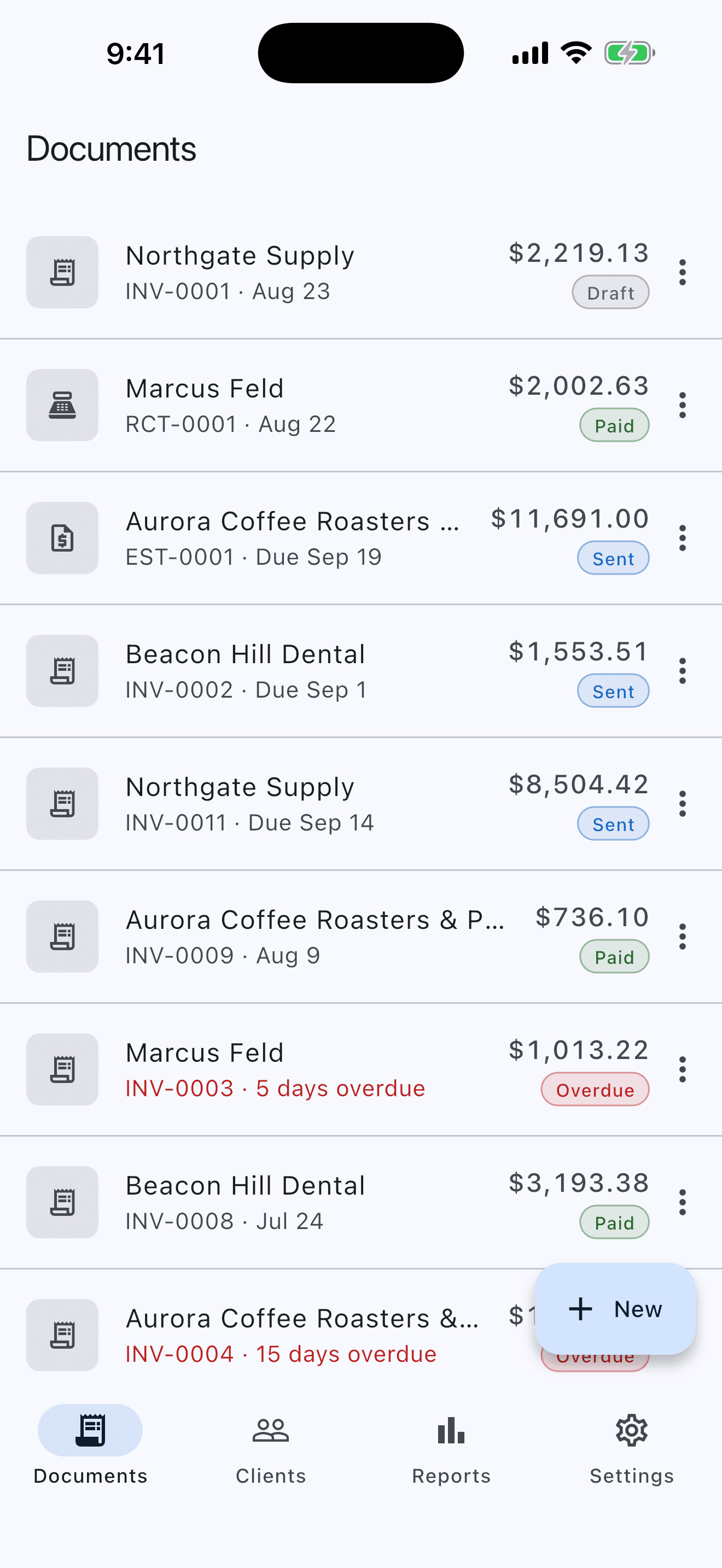
Record part payments and full payments against any invoice and watch the balance fall. Paid, part paid, outstanding and overdue are worked out from your payment record every time they are shown, so the number in front of you is never a stale total someone forgot to update.
Three templates, your logo, your colour
Choose Classic, Modern or Minimal, then put your own logo and brand colour on every page. Set your own numbering too, with a separate sequence per document type, so ACME-0001 reads the way your books already do.
Tax rates and discounts that add up
Create named tax rates and apply them per line, so a job mixing taxable labour with exempt materials bills correctly. Discount a single line or the whole invoice. Every amount is a whole number of cents, and line totals are rounded individually then summed, so the total always equals the column your client is reading.
Reports, and a CSV for your accountant
See what you are owed, how much of it is late and how late, and what you billed and collected each month. Export your documents and payments to CSV and hand your bookkeeper a spreadsheet instead of a shoebox.
There is no account, so there is nothing to breach
Most invoicing apps make you create an account before you can send anything, then keep your client list on their servers. CustomInvoice never asks, because it never needs to.
No account
No sign-up, no password, no cloud sync. There is nothing to log in to, and so nothing to breach.
No bank connection
CustomInvoice cannot reach your bank, because there is no code in it that could. No linking, no aggregator, no card processing.
Your clients stay yours
Their names, addresses and what they owe you are commercial information about someone else. It is written to your device and never transmitted to us.
Works in airplane mode
Writing, rendering and sending a document needs no network of ours. On a plane, in a basement, or on a site with no signal, it behaves the same.
Your business is not measured
No usage events, no crash reports, nothing sent to an ad network. The one thing we count is anonymous installs - never how many clients you keep, what you charge them, or what you do in the app.
Your records, portable
Back up everything to one file and restore it on any phone, or export your documents and payments to CSV for your accountant. Your books are not held hostage by an app.
“We never receive a monetary amount, a client name, or a line of any document you write. Not because we filter them out - because nothing in the app sends us anything at all.”
Why CustomInvoice?
How invoicing from your own phone differs from the two usual alternatives
| Feature | CustomInvoice | Subscription apps | Word or Excel |
|---|---|---|---|
| Getting started | Open it and write the invoice | Create an account, verify an email, pick a plan | Find last month’s file and edit over it |
| Where your client list sits | On your phone, and nowhere else | Your clients and amounts, on their servers | Retyped on every document |
| What it costs to send one | Nothing, and no watermark on any page | A monthly fee, or a capped free tier | Nothing, if you already own the software |
| Knowing who has paid | Worked out from your payment record, every time | Usually tracked, if you are on the right plan | A second spreadsheet you maintain by hand |
| Working without signal | Writes, renders and sends offline | Needs the network to do almost anything | Depends which one, and whether it synced |
Getting started
CustomInvoice
Open it and write the invoice
Subscription apps
Create an account, verify an email, pick a plan
Word or Excel
Find last month’s file and edit over it
Where your client list sits
CustomInvoice
On your phone, and nowhere else
Subscription apps
Your clients and amounts, on their servers
Word or Excel
Retyped on every document
What it costs to send one
CustomInvoice
Nothing, and no watermark on any page
Subscription apps
A monthly fee, or a capped free tier
Word or Excel
Nothing, if you already own the software
Knowing who has paid
CustomInvoice
Worked out from your payment record, every time
Subscription apps
Usually tracked, if you are on the right plan
Word or Excel
A second spreadsheet you maintain by hand
Working without signal
CustomInvoice
Writes, renders and sends offline
Subscription apps
Needs the network to do almost anything
Word or Excel
Depends which one, and whether it synced
Your work. Your clients. Your books.
Write your first invoice in under two minutes. There is nothing to sign up for and nothing to connect.
No account. No cloud. No document limit, and no watermark on any page.
Part of the  Custom Apps family - privacy-first apps that keep your data on your device


